Second Experiment
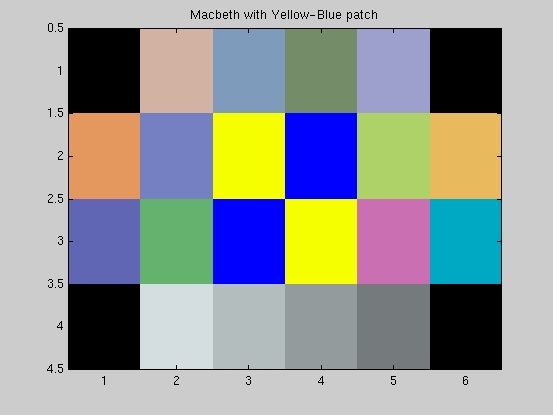
For our second experiment, we perform SRA on the macbeth colorchecker after doing the following:
1. We set the four corner surfaces (1, 6, 19 and 24) to black (R=G=B=0).
2. We add specular surfaces to the middle of the chart (surfaces 9, 10 , 15 and 16) using alternating complementary colors so that the Gray World Averaging (step 3) renders the color of the specular surfaces close to the original appearance. We selecte a yellow-blue patch.
3. We perform Gray World Assumption on the image to isolate the effect of specular reflection in the camera. That is to say, we need to make sure that the camera image results from the presence of specularities and not because the camera color balancing algorithm performs some other kind of balancing like the gray world assumption.
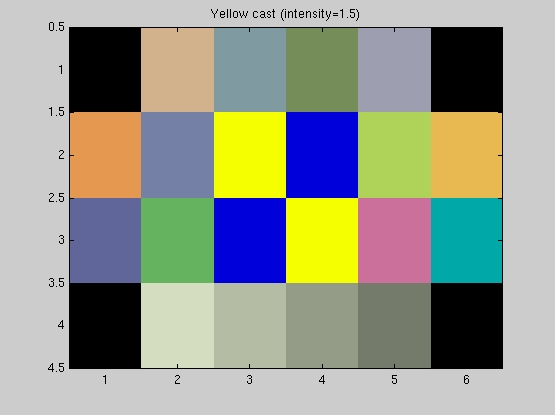
4. We add color-casts to the image. This time we choose yellow, red and green all of intensity =1.5 .
The following matlab scripts were used to generate the above images:
modified macbeth with yellow-blue patch and yellow-cast (intensity=1.5)
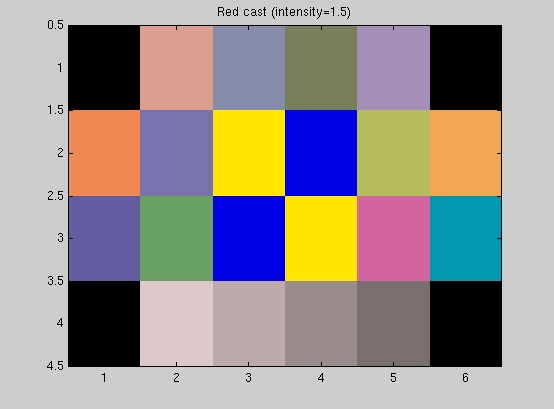
modified macbeth with yellow-blue patch and red-cast (intensity=1.5)
modified macbeth with yellow-blue patch and green-cast (intensity=1.5)
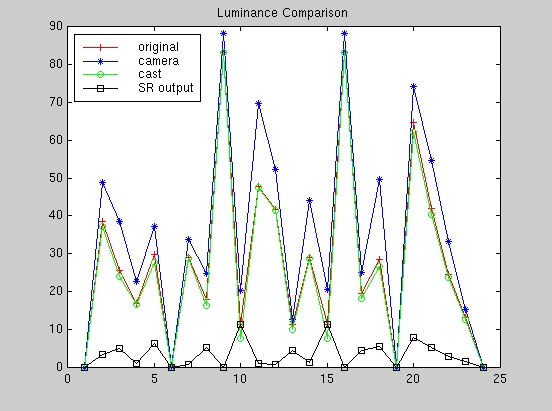
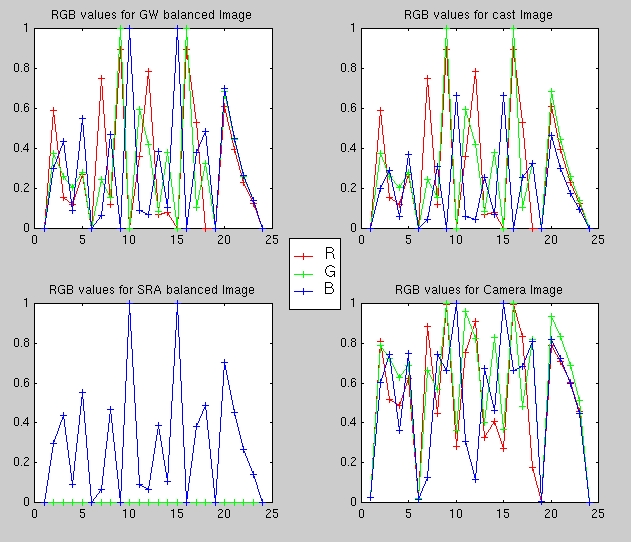
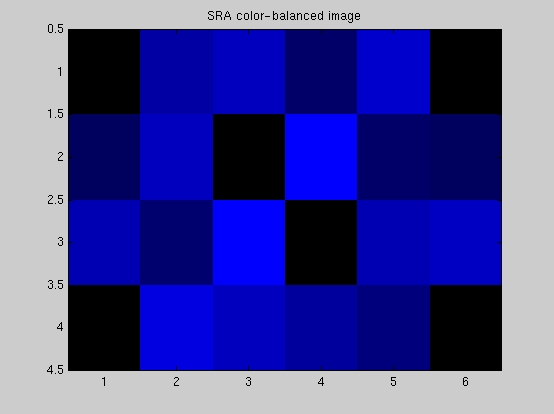
The following matlab script GW_SRAbalance.m was used to display the modified macbeth colorchecker image, the macbeth color-casted image and the SRA color-balanced image (as in the above scripts) in addition to the sampled image from the camera. The script also plots the RGB values and the luminanace (Y-values) for the following:
Below are the results from the second experiment.
A. Yellow Cast Image
B. Red Cast Image
B. Green Cast Image
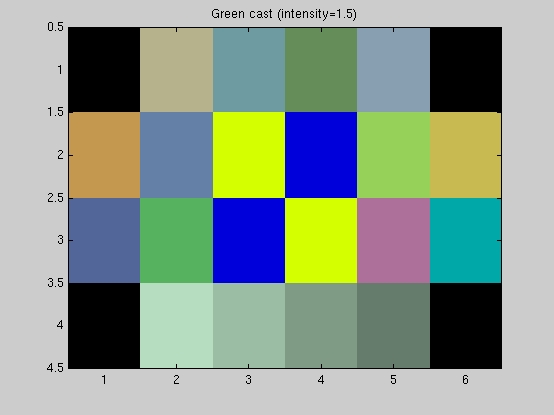
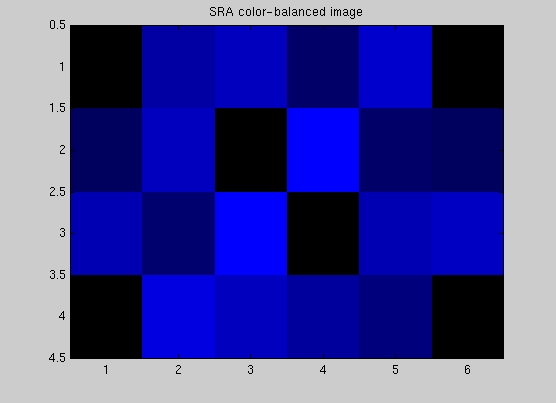
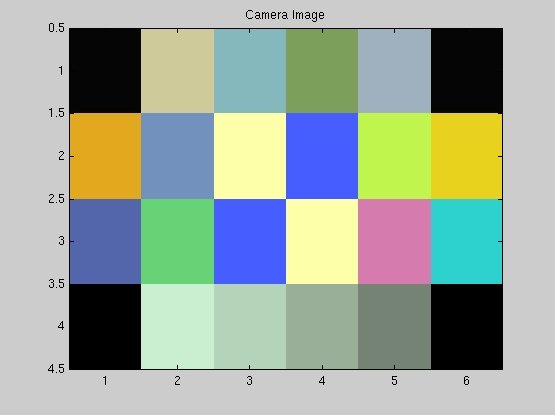
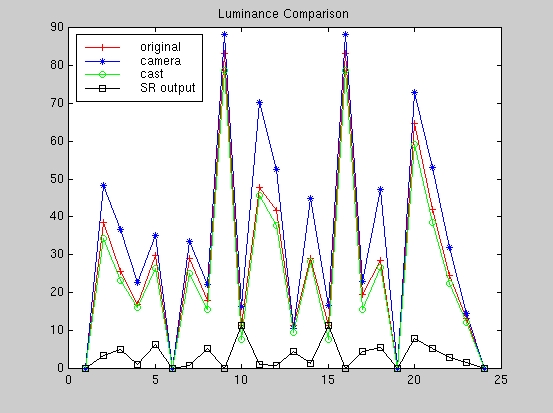
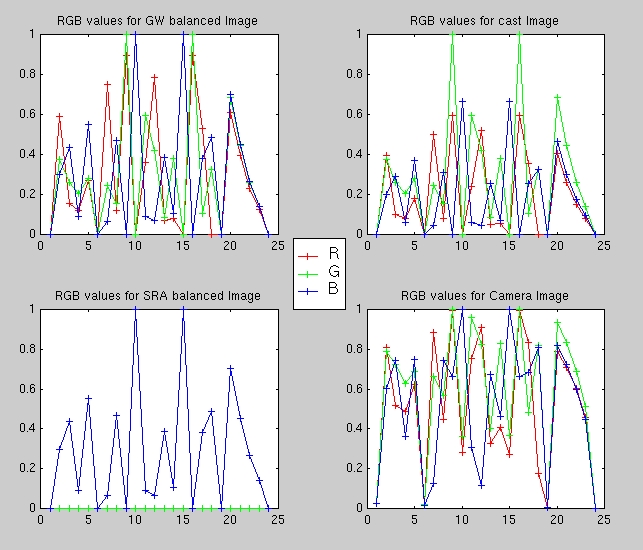
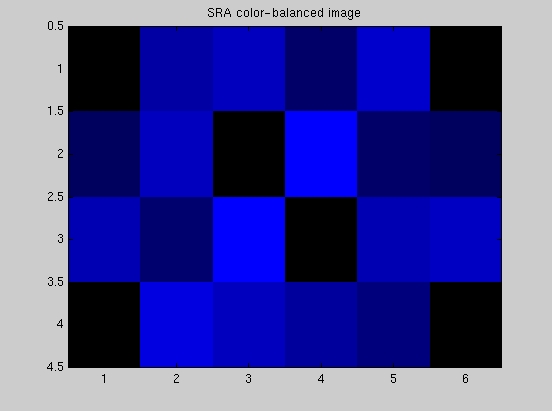
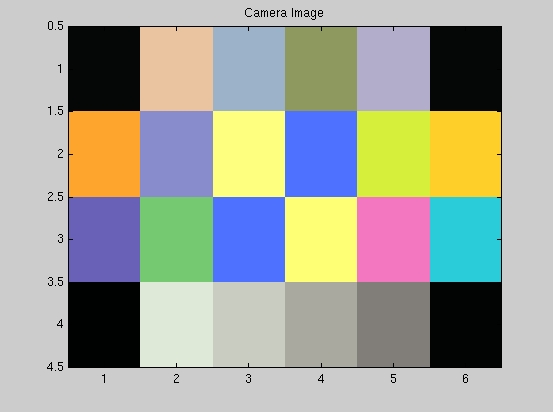
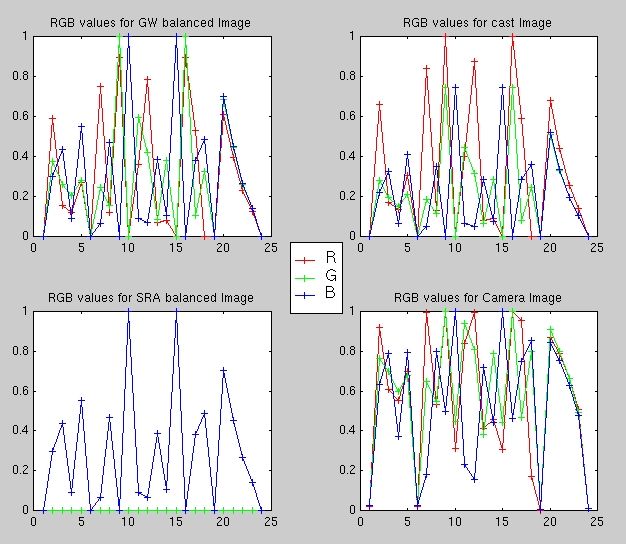
In this experiment we do not have a true white surface, thus we see that the resulting image from our simple SRA algorithm is completely different from the input image. The output image is masked with blue in all cases. This can be explained by observing that the algorithm finds the point with the highest Y-value in each case, which happens to be within the yellow surfaces (9 and 16) since we constructed them to be the specular surfaces for our experiment, and adjusts the RGB values of the pixels in the image (in essence divides the RGB values of each pixel by the RGB values of the located white point). Since the white point has a very small blue component (almost zero), the pixels in theSRA color-balanced image have a very large blue component which renders the image blue. In addition, it has the effect of making the blue surfaces in the patch appear as the "white" point of the image (RGB = 001) after the scaling and the yellow surfaces appear dark.
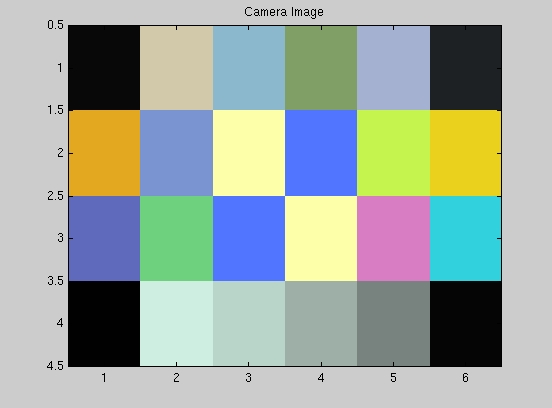
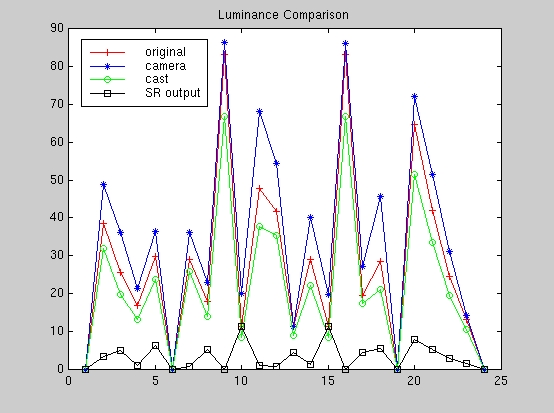
The luminance plots indicate that the camera sensors do detect the specularities under the three different casts as shown by the very high values for the camera luminance response at points 9 and 16 which correspond to the brightest surfaces (yellow in our case).
The RGB plots serve to illustrate again that the camera amplifies the values of all three color channels as seen by comparing the RGB plots for the color-casted image and the camera image. However, the SRA algorithm overcompensates the blue as shown in the plot which results in the red and green components having very small values and thus the failed color-balancing attempt.
Our simple SRA algorithm fails becasue the digital camera performs a more complicated color balancing procedure which accounts for both the specularity and the cast even in the absence of a true white surface as evident in the camera images comparesd to the SRA color-balanced images.
All the images shown so far were taken with the lights OFF. We believe that one more case remains to be investigated which is the color balancing capability of the camera under different ambient lighting conditions. In our third experiment, we test for this case by comparing the camera image under the two conditions of the light being ON or OFF.