Third Experiment
For our third experiment, we perform SRA on the macbeth colorchecker after doing the following:
1. We set the four corner surfaces (1, 6, 19 and 24) to black (R=G=B=0).
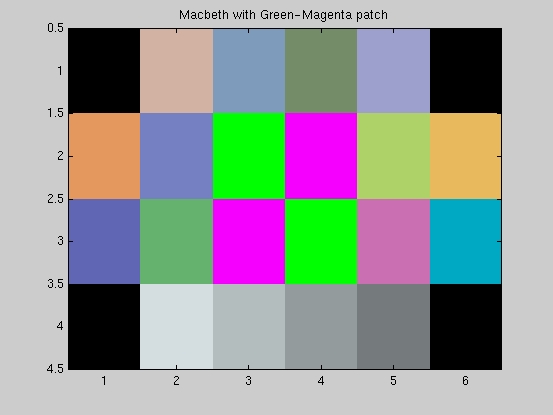
2. We add specular surfaces to the middle of the chart (surfaces 9, 10 , 15 and 16) using alternating complementary colors so that the Gray World Averaging (step 3) renders the color of the specular surfaces close to the original appearance. We selecte a green-magenta patch.
3. We perform Gray World Assumption on the image to isolate the effect of specular reflection in the camera. That is to say, we need to make sure that the camera image results from the presence of specularities and not because the camera color balancing algorithm performs some other kind of balancing like the gray world assumption just like the second experiment.
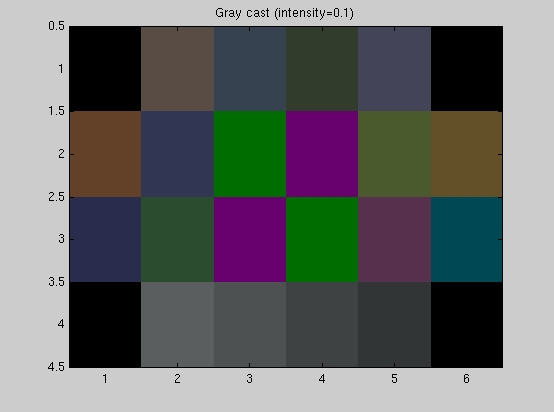
4. We add a gray-cast to the image (R=G=B= 0.1) and photograph
the image under the two conditions of the light being ON or OFF.
The following matlab script was used to generate the above
image:
modified macbeth with green-magenta patch and gray cast (intensity=0.1)
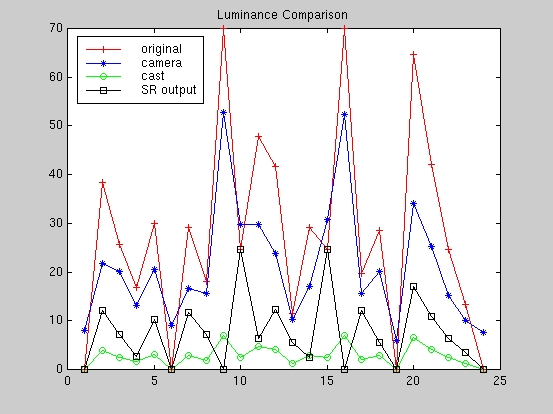
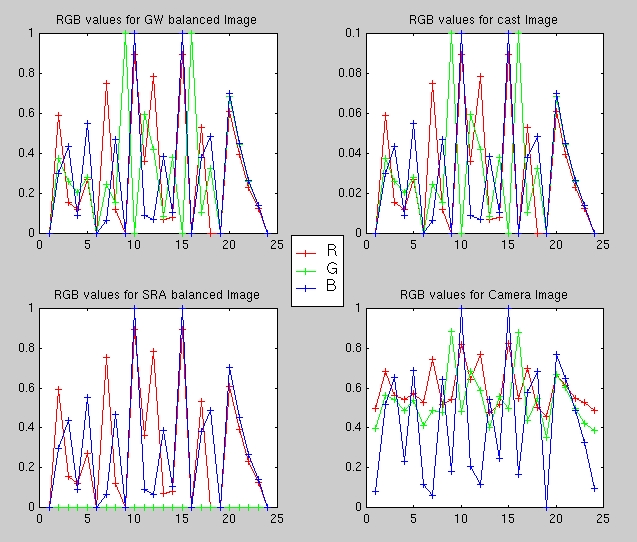
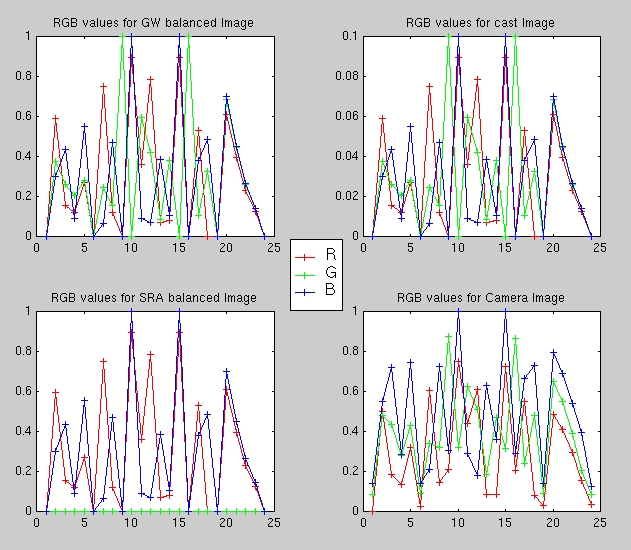
As in the second experiments, the following matlab script GW_SRAbalance.m was used to display the modified macbeth colorchecker image, the macbeth color-casted image and the SRA color-balanced image (as in the above scripts) in addition to the sampled image from the camera. The script also plots the RGB values and the luminanace (Y-values) for the following:
Below are the results from the third experiment.
A. Lights OFF
A. Lights ON
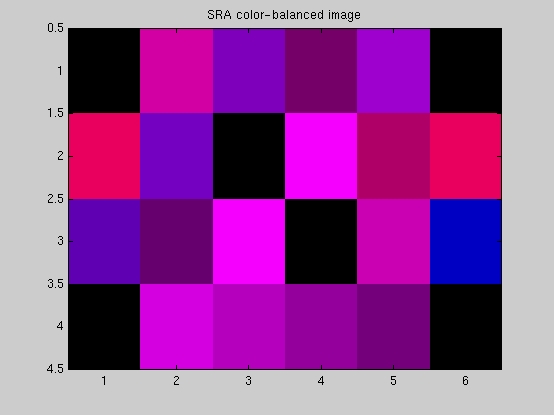
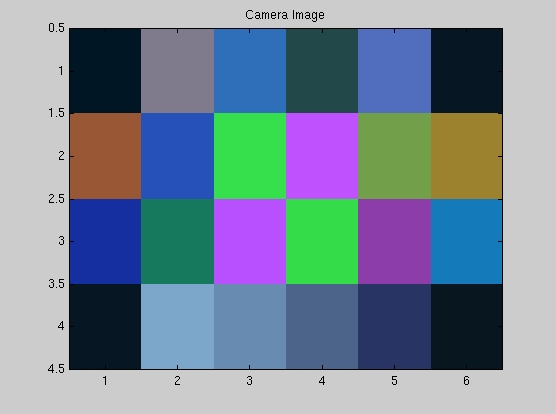
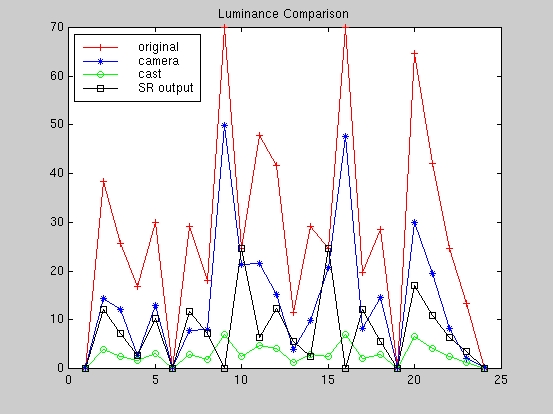
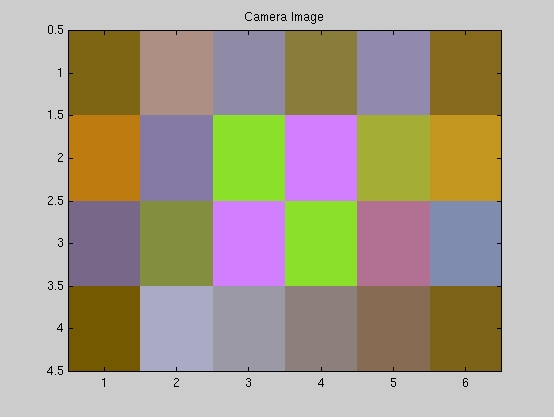
In this experiment we want to test for the color-balancing capability of the digital camera under the two conditions of the light being ON or OFF and to check if the camera sensors can pick-up the specularities in an image under a fairly deep gray cast (R=G=B=0.1). The camera images above show that the specularities are indeed picked-up by the camera sensors although they are rendered much more intensely in the picture taken with lights being ON. In both cases, however, we can say that the camera sensors employ a smart enough algorithm to detect specularities in the scene even under a heavy gray-cast. In the case of the lights being OFF (absence of ambient light), the color-balancing capability of the camera is compromised and the resulting scene colors differ from the original. This can be seen by the shift in color in the black surfaces at the four corners of the image from black to brown.
In the case of the lights being ON (presence of ambient light), the color-balancing capability of the camera produces an image with good quality in which the colors differ from the original only in brightness even under the heavy gray-cast used above. In addition, the black surfaces at the four corners are rendered black instead of the light brown color obtained with the lights turned OFF.
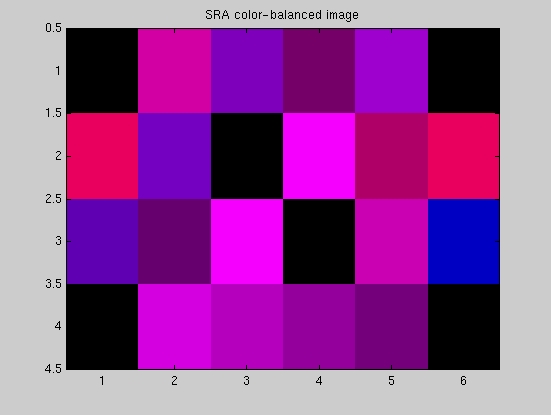
Again, our simple SRA algorithm fares poorly since the input image does not have a true white surface (like in the second experiment). The output of the SRA algorithm can be explained as in the second experiment by observing that the algorithm finds the point with the highest Y-value in each case, which happens to be within the green surfaces (9 and 16) since we constructed them to be the specular surfaces for our experiment, and adjusts the RGB values of the pixels in the image (in essence divides the RGB values of each pixel by the RGB values of the located white point). Since the white point has very small red and blue components (i.e., magenta), the pixels in the SRA color-balanced image have a very large magenta component which renders the image magenta. In addition, it has the effect of making the magenta surfaces in the patch appear as the "white" point of the image (RGB = 101) after the scaling and the green surfaces appear dark.
The luminance plots confirm our conculsion that the camera sensors detect the presence of specularities in a scene under a variety of illuminations and lighting conditions as shown by the high values for the camera luminance response at the points where the white surfaces are detected (points 9 and 16 ) under both lighting conditions.
The RGB plots serve to illustrate again that the camera amplifies the values of all three color channels when the lights areturned OFF as seen by comparing the RGB plots for the gray-casted image and the camera image. When the lights are ON, the camera actually reduces the values for some of the color channels (red and green in this case as a result of the ambient yellow illumination) as compared to the values in the gray-casted image. Hence the resulting image appears to have high blue values as a result of the reduction in yellow which is attributed to the ambient light and a better image is produced.