SRA Experiments
First Experiment
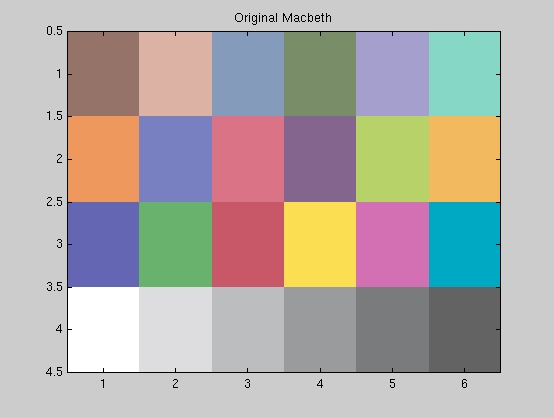
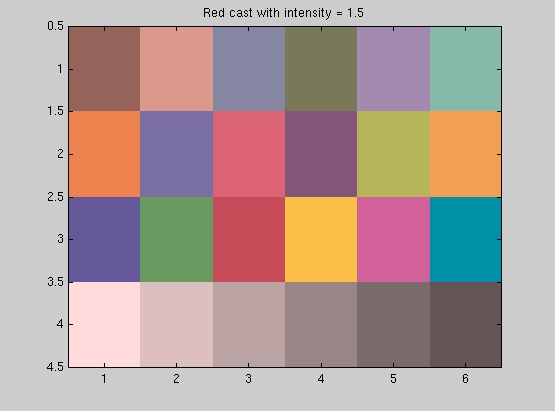
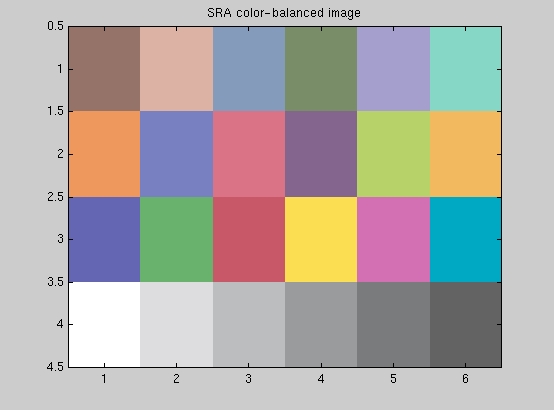
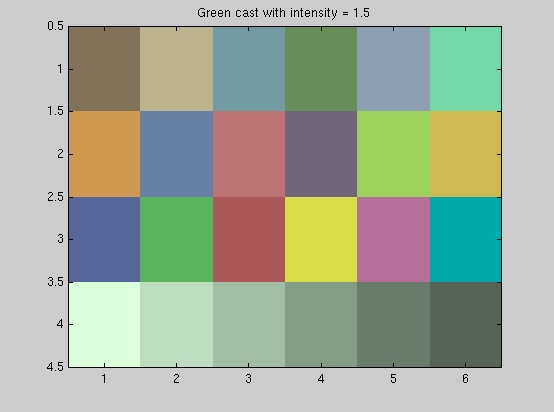
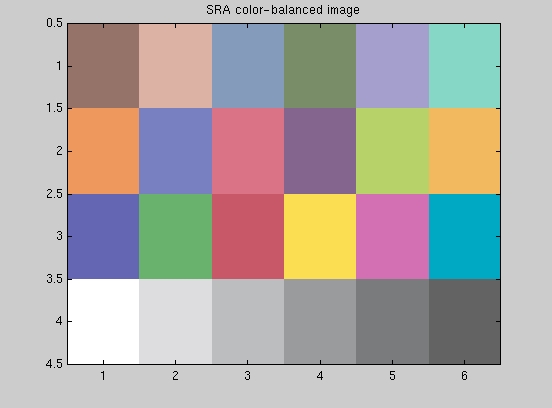
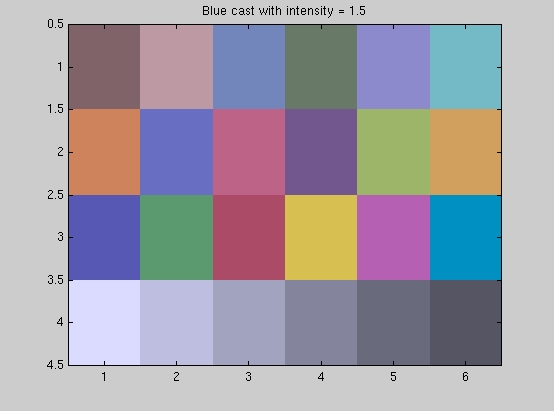
For our first experiment, we performed SRA on the original macbeth colorchecker after casting it with the following colors: Red, Green and Blue. All the casts have an intensity of 1.5 . The following matlab script files generate the above images, correct for the monitor gamma (matlab script for gammaCorrection.m), perform the SRA color balancing by calling SRAbalance.m and display the color-balanced images (after correcting for gamma).
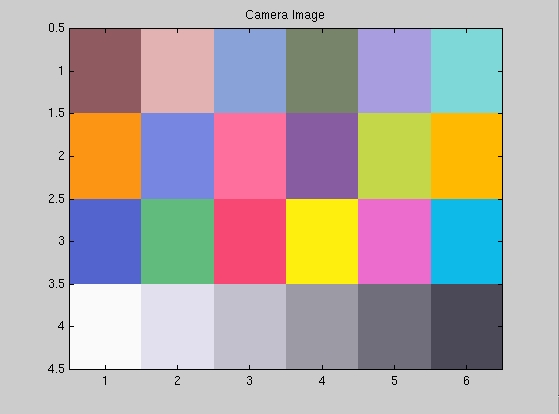
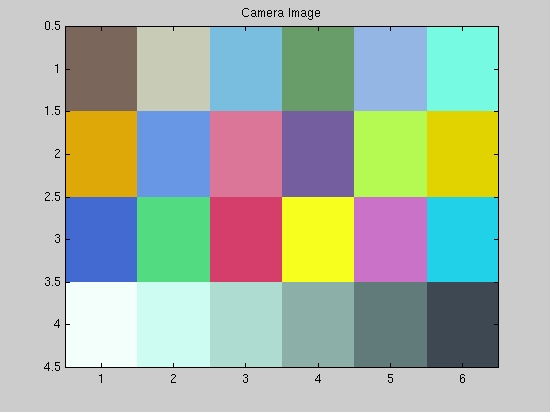
To investigate what the digital camera is doing, we photographed the color-casted images displayed on the monitor and saved the images as BMP files. Then, we sampled the images using the special function that we wrote for this purpose reindexImage.m and displayed the resulting image (after adjusting for the gamma of the camera ) to compare how the colors in the macbeth image are affected by the different casts and whether the camera adjusts the colors in case its sensors detecte specularities.
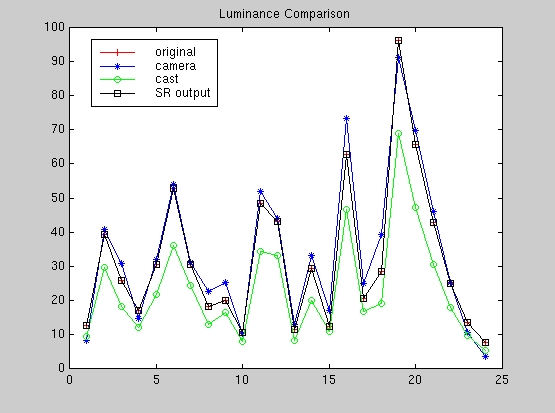
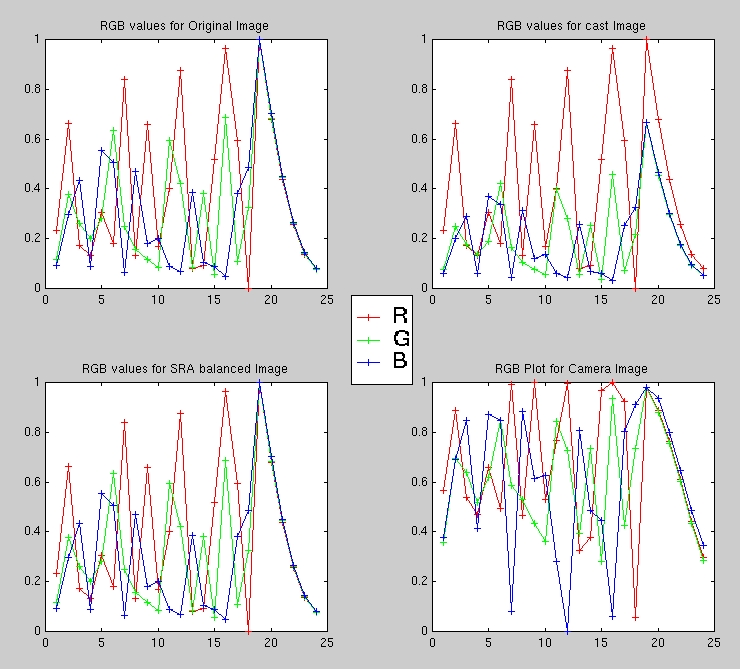
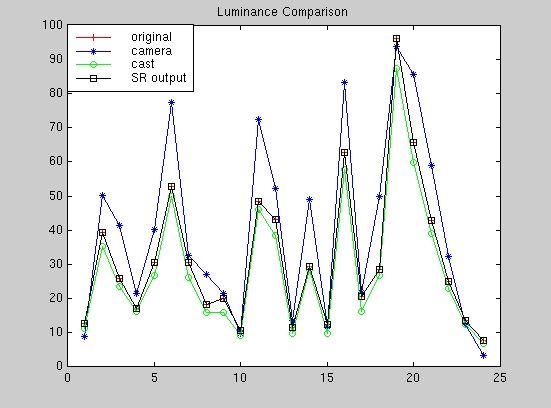
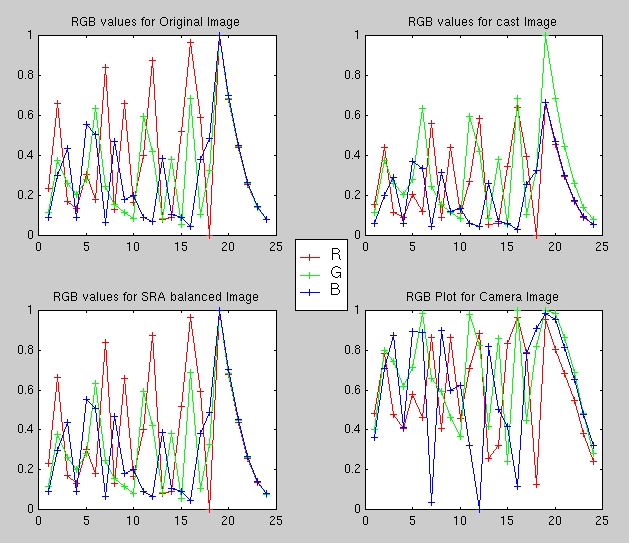
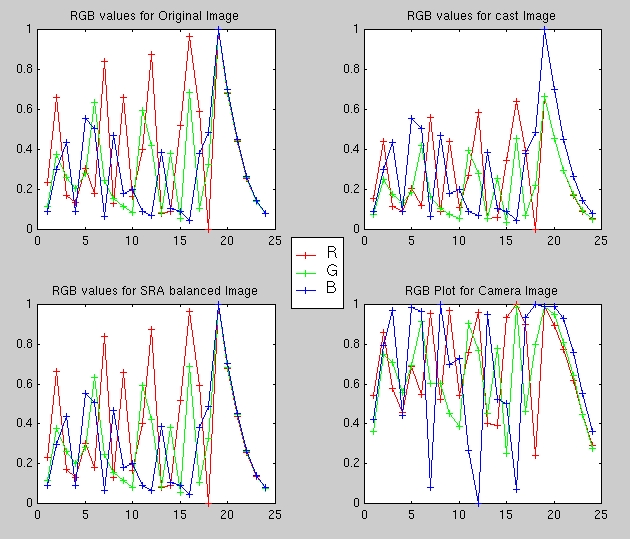
The following matlab script SRADisplay.m was used to display the original macbeth colorchecker image, the macbeth color-casted image and the SRA color-balanced image (as in the above scripts) in addition to the sampled image from the camera. The script also plots the RGB values and the luminanace (Y-values) for the following:
Below are the results from the first experiment.
A. Red Cast Image
B. Green Cast Image
C. Blue Cast Image
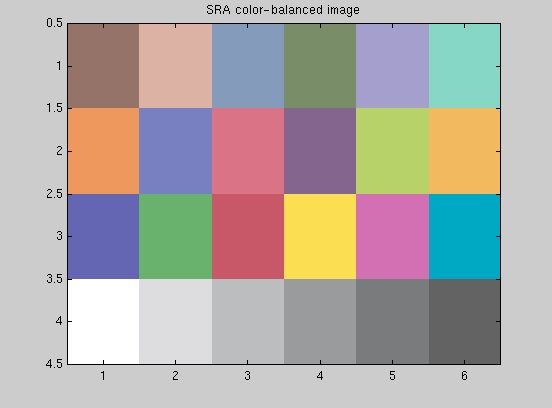
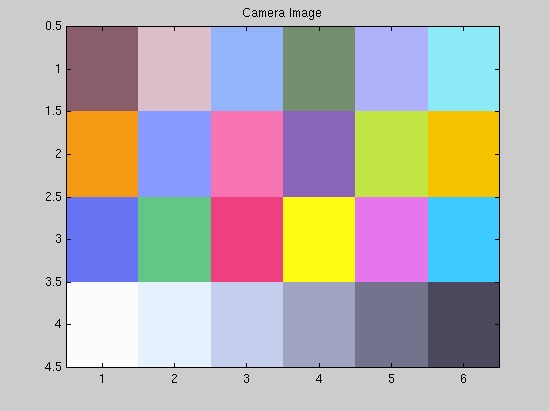
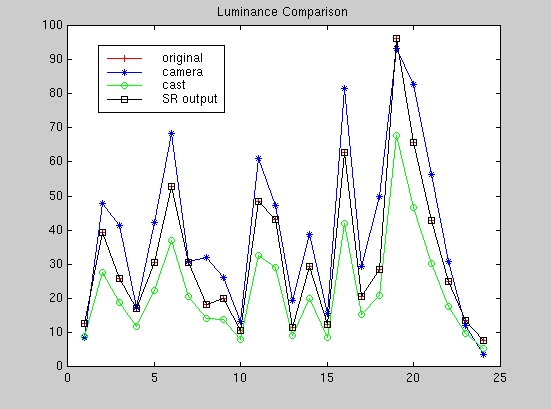
Looking at the luminance plots for the three experiments above confirms our suspicion that the camera does indeed detect the specularity present in the image (in all cases, surface number 19) as evident by the consistent high value for the camera luminance response at surface 19 which we constructed to be the white point of the image. As a result, the camera image appears to be adjusted to this white point as shown by the overall brightness of the camera image compared to the SRA color-balanced image. The difference in appearance between the camera image and our SRA color-balanced image is not the issue here since we mentioned in the beginning that the algorithm we are employing is rather simple and we presume that the camera is using a more sophisticated algorithm. However, even with our simple algorithm we managed to match the camera response especially for the red-casted image.
The RGB plots serve to illustrate how the camera amplifies the values of all three color channels as seen by comparing the RGB plots for the color-casted image and the camera image. On the other hand, our algorithm tries to compensate for the presence of the color-cast by raising the value of the "complementary" colors. For example, in the green-casted image, the SRA color-balanced RGB response tries to compensate by raising the values for the red and blue (i.e., magenta) to counter the green-cast to perform the color balancing. This is the essence of "dividing by the white point".
In all of the above cases, the camera color-balancing and the SRA algorithm fare well due to the presence of a "true" white point even if it is color-casted. We need to investigate the case where no true white point is present and observe the camera response to the presence of specularities. In our second experiment, we test for this case with different color casts.