
Specular Reflection
Introduction
The Specular Reflection Assumption underlines the fact that the presence of "specularities" or glossy surfaces in an image conveys a good amount of information about the illuminant. It presumes that these specularities have reflectance functions that are constant over a wide range of wavelengths and thus they reflect the actual color of the light source. Therefore, if we wanted to reconstruct the color appearance of an image under white light according to the specular reflection assumption (henceforth abbreviated as SRA), all we need to do is scale the image's RGB components to render the specularities white. The scale factor for each color channel is just 1/(specular value). That is to say, the reciprocal of the RGB values of the "brightest" pixel. This process is also known as white point correction which is something we take for granted in our human visual system. This process is best illustrated by the following observation. A white piece of paper appears white under many different illuminations (fluorescent, daylight, incandescent ... etc). However, if we took a picture of that same piece of paper with our digital camera under different lighting conditions, we would notice that none of these images appear truely white but rather the picture would look greenish under fluorescent light and yellowish under incandescent light compared to the daylight picture!
Obective
Our goal in this part of the project is to perform a few experiments with the digital camera on the macbeth colorchecker under different settings to decide if the camera uses the specularity information in capturing the image. We implement a rather simple SRA algorithm in matlab SRAbalance that locates the pixel with the highest brightness (the white point) by locating the point in the image with the highest Y component in the CIELAB XYZ space, converting back to linear (gamma-corrected) RGB space and finally scaling each color channel by the corresponding value of the white point. All the calculations take place in linear space (i.e., after correcting for the gamma of the monitor). Furthermore, in order to isolate the effect of SRA, we perform Gray World Assumption GWbalance.m on the image before applying it as an argument to the SRAbalance routine to make sure that the camera does not perform Gray World averaging.
Example with Real Images
We performed a test on two images that we found on micrografix website ( click here to be transported ) using the following matlab script realImage.m . All the images were saved as TIFF files but are displayed here as JPEG files with a quality factor = 100.


Original image (left) and SRA color-balanced image (right).
Notice the higher contrast on the right-hand side image.
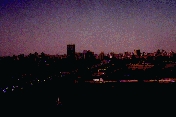
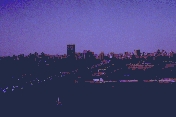
Original image (left) and SRA color-balanced image (right).
Again, notice the higher contrast on the right-hand side image.
In both cases we notice that applying the SRA algorithm to an image with some cast has the effect of raising the level of brightness of the image. This effect is a result of adjusting the pixel values in the image to the white point found by our algorithm. Hence, the SRA balanced images appear to have more contrast in them.