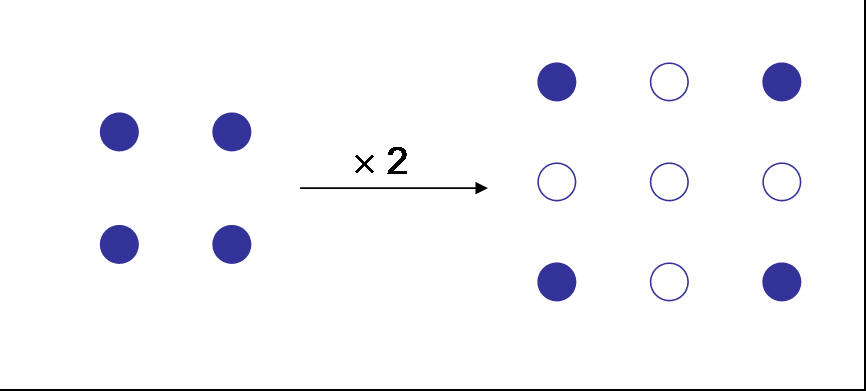
Image up-scaling is achieved by upsampling, where blank pixels are added in between existing pixels. See Fig 1. Intensity values of the new pixels are then determined based on the surrounding pixel values (interpolation). There are various interpolation methods, generally trading-off complexity with performance.
Figure 1: Up-scaling Image
The simplest interpolation is the nearest-neighbor algorithm. In this method, the nearest pixel value is replicated. This however results in a blocky-image artifact.
The next method (increasing complexity) is bilinear interpolation. The blank pixels values are populated by a linear function between the closest existing pixels. The term bilinear means that it is done in two dimensions. More complex methods are bi-quadratic and bi-cubic interpolation. For image scaling, bilinear interpolation is usually sufficient because there is marginal perceptual gain with higher order interpolation filters.
For our project we implement bilinear interpolation. Figure 2 shows the image Lena originally at 128x128 scaled by 3. This method (and all other higher order methods) results in a blurring artifacts. As the scaling order is increased the edges are increasingly washed out. This can greatly limit how much we can explode an image before it is perceptually degraded. A solution to this artifact is to sharpen the edges and/or after scaling the image.


Fig 2: Lena Original and Scaled by 3. Blurring of edges should be apparent.