Introduction & Motivation
Digital
image sensors function by capturing the light intensity of a scene through an
array three different colour filters. This information, however, cannot be
directly output to produce an image. There are several image processing steps
that have to be performed to take this raw data and produce an acceptable image.
Steps in this image processing pipeline include defect correction, lens
shading, demosaicing and colour balancing.
The colour balancing processing step is a
critical step in the pipeline. Without the colour balancing stage, the colours
in the image could look very distorted to the viewer.
This is because a digital image sensor just records what it sees, whereas the
human visual system is system which is constantly adapting the information to
take into account the environment. Thus, what the eye sees, and
what a digital image sensor sees can be drastically different.
The human visual
system interprets the scene by taking into account the lighting, and so digital
image sensors need to perform colour balancing to produce the correct
perception of colours.
As an example,
figure 1 shows a sample image without proper colour balancing, while figure 2
shows the same image with colour balancing applied.

Figure 1: Image without proper colour balancing. Lighting conditions make
image look very yellow-ish
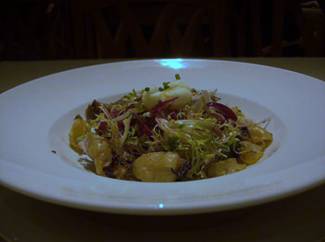
Figure 2: Color balanced version of previous image. In this image, the yellow-ish effect of the lighting has been corrected
Motivation
While colour balancing is an area that has been
studied extensively in the past, new digital image sensors are beginning to
show undesirable colour effects that produce a challenge for traditional colour
balancing algorithms.
The colour effects that appear in the images are
beginning to exhibit non-uniformities across the image. Different areas of the
image sensor are beginning to show different colourations. To further
complicate matters, it may be the case that certain colours are showing this
variable distortion more than other colours.
As a motivating example, figure 3 shows an image and
figure 4 shows the same image but with variable colour distortion (in this
case, as a function of distance from the centre of the image).
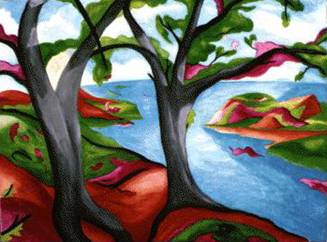
Figure 3: Original image
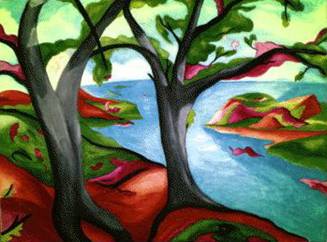
Figure 4: Image
showing non-uniform colour distortion. Image periphery shows more distortion
than image centre