[Home]

Perfect Reflector Algorithm


Basic Concepts

Perfect Reflector algorithm is another approximation algorithm for color balancing. It tries to approximate the lighting conditions too, but uses the very different approach from Gray World algorithm.

Perfect Reflector assumption is based on the following fact: An illuminated glossy surface or specularity reflects a highlight known as Perfect Reflector or Specular Reflection. The shinier the surface is, the more will the highlight look like the light source. If the surface is shiny enough, it reflects the actual color of the light source, independently of the color of the surface. Therefore, the R, G, and B components of the brightest or most reflective spot are used to scale the RGBs of all other objects in the image in order to obtain the true colors of the original.

In our experiments, we use the same two hundred and fifty two sample images to simulate this algorithm. We implement the above method of Perfect Reflector assumption.


Experiments

Based on the basic concepts mentioned above, we implement Perfect Reflector algorithm by PerfectReflectorFun.m.

Similar to Gray World algorithm, we do two experiments to test Perfect Reflector algorithm:

  • Experiment 1

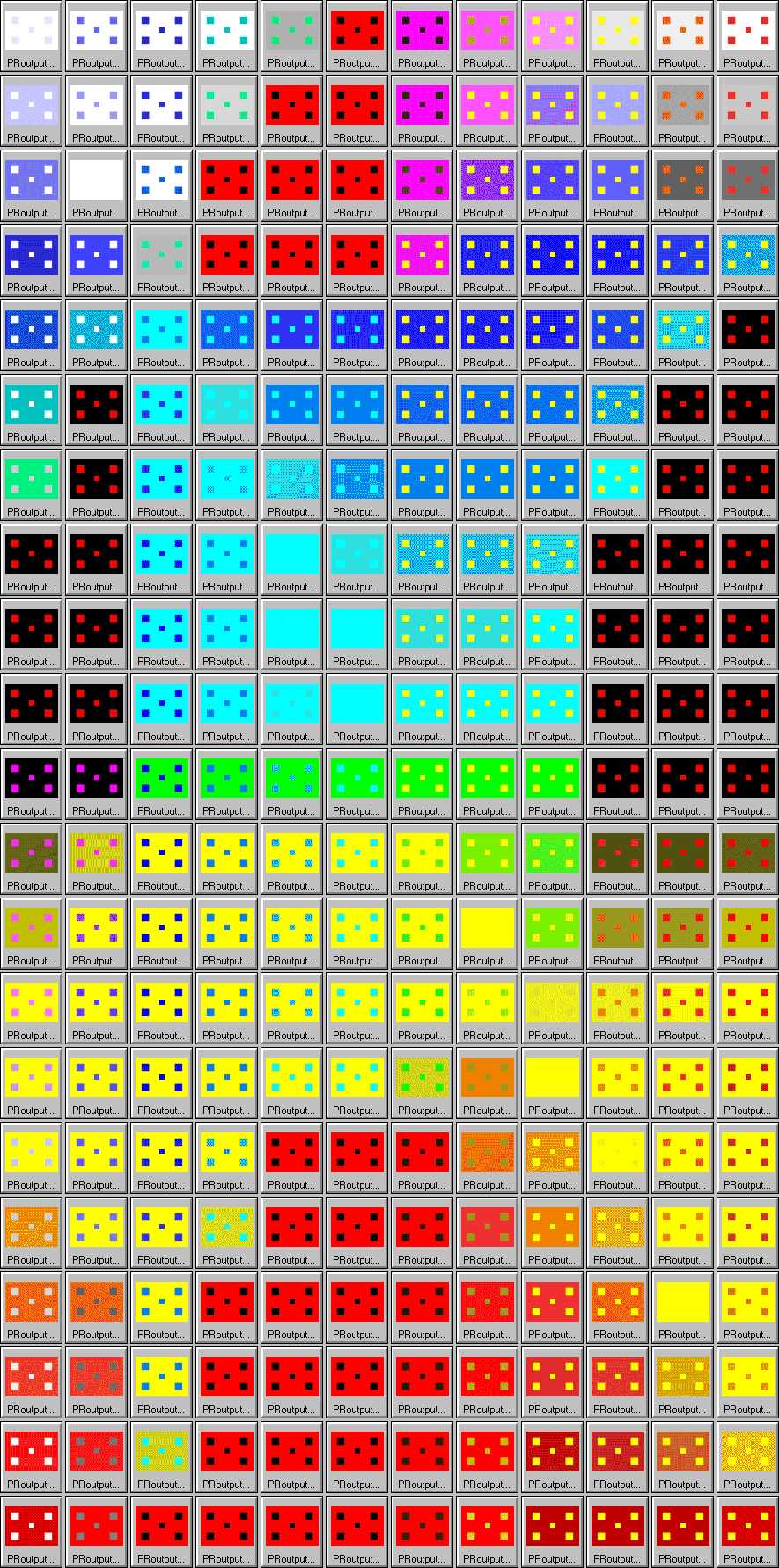
    The first experiment takes 252 color patch images generated with background colors and target colors that evenly distribute through the whole spectrum visible to human eyes. The goal of this experiment is to understand what are the effects of Perfect Reflector color balancing algorithm over the whole spectrum visible to human. This experiment is done by PerfectReflectorTest1.m

  • Experiment 2

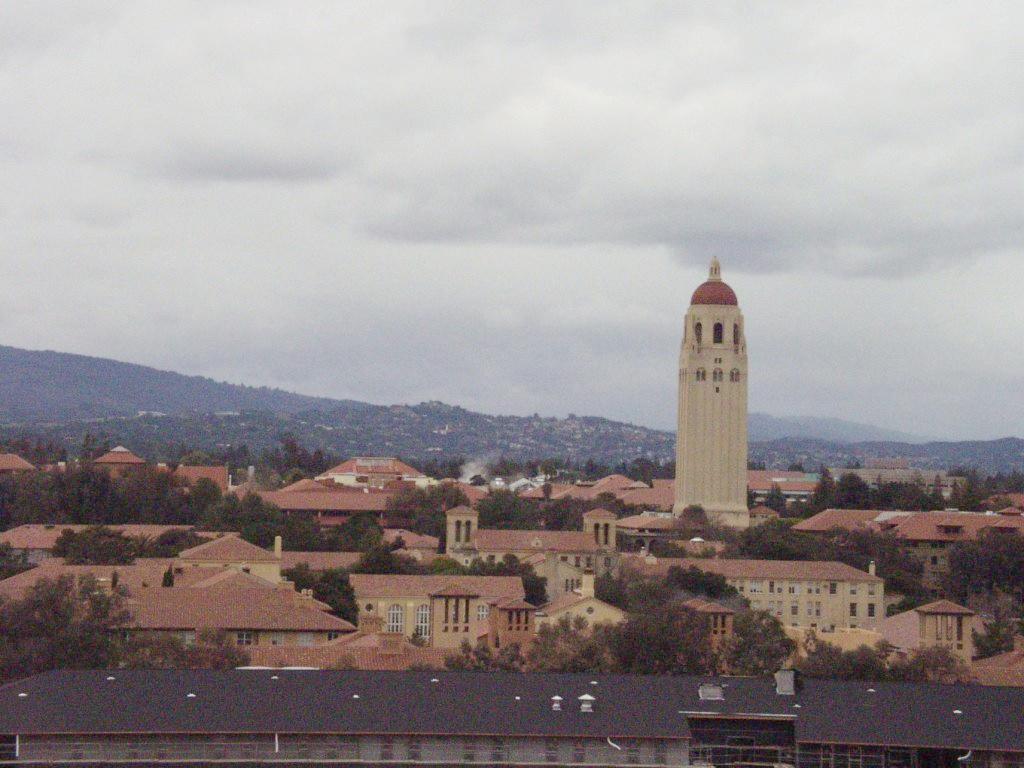
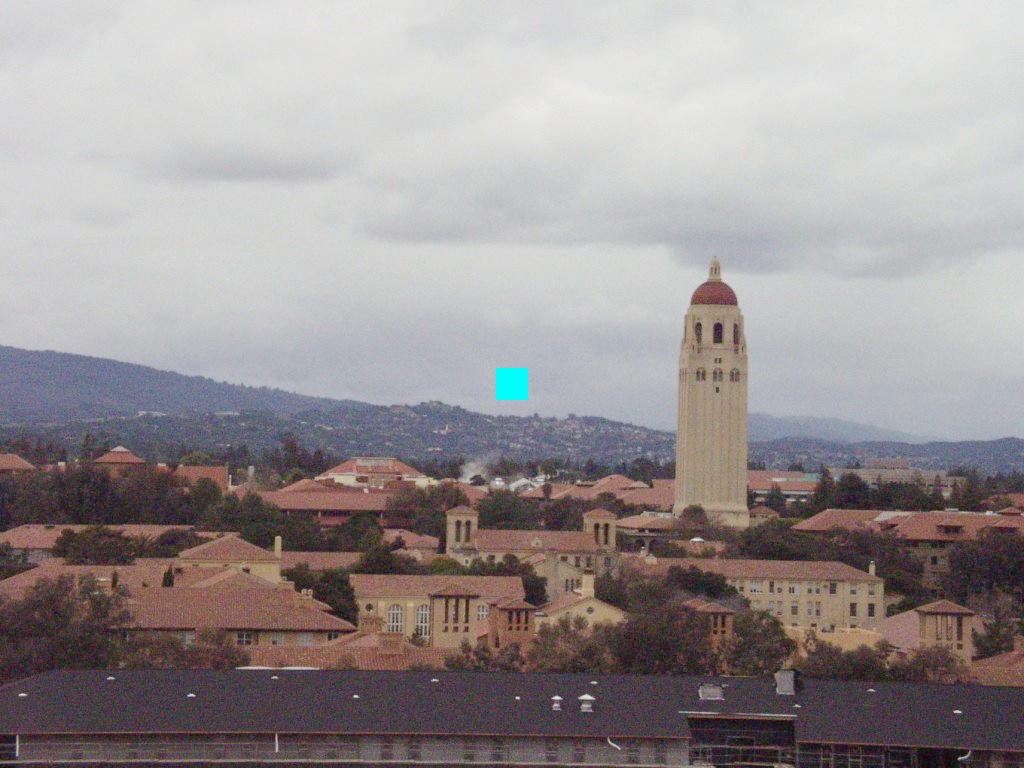
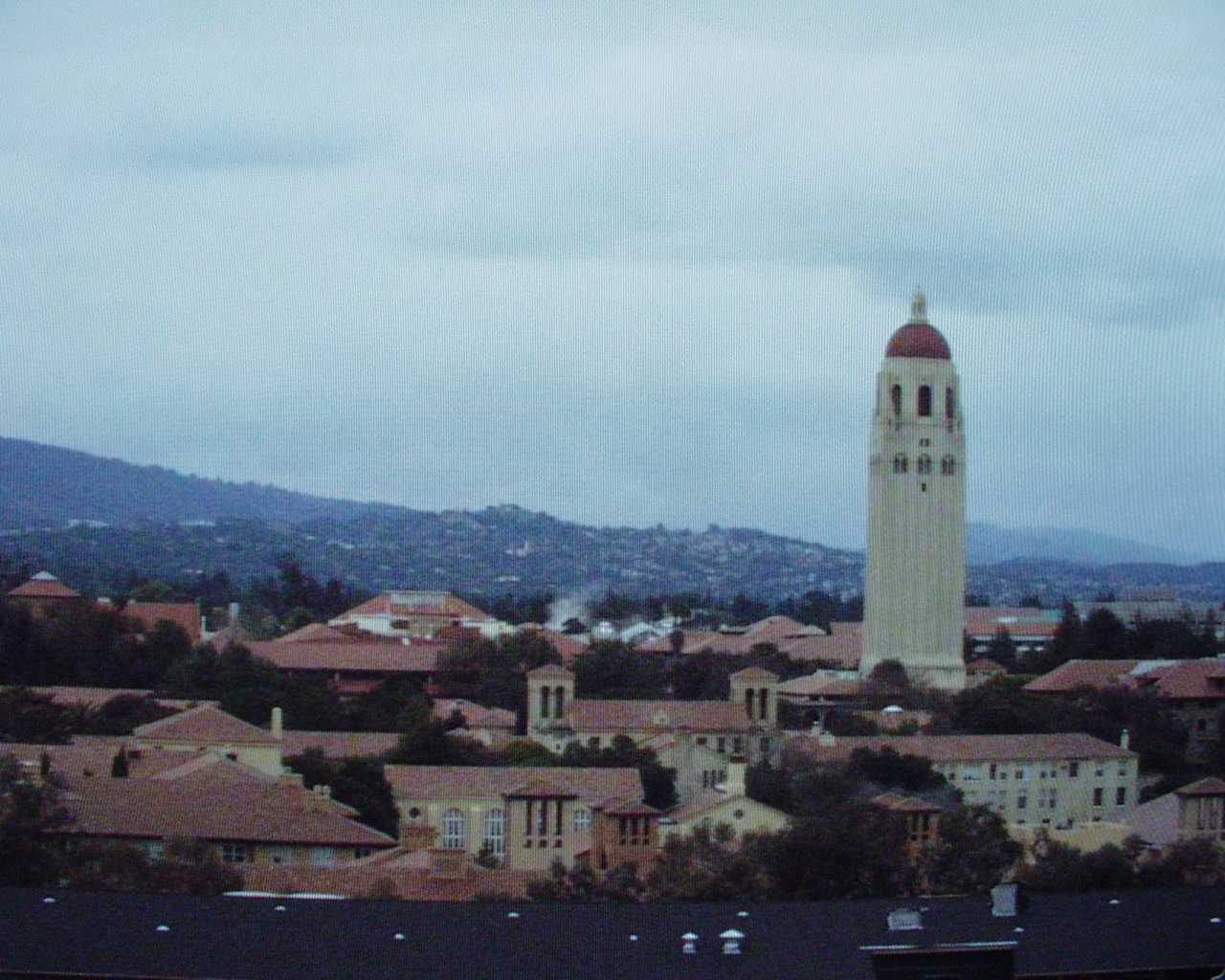
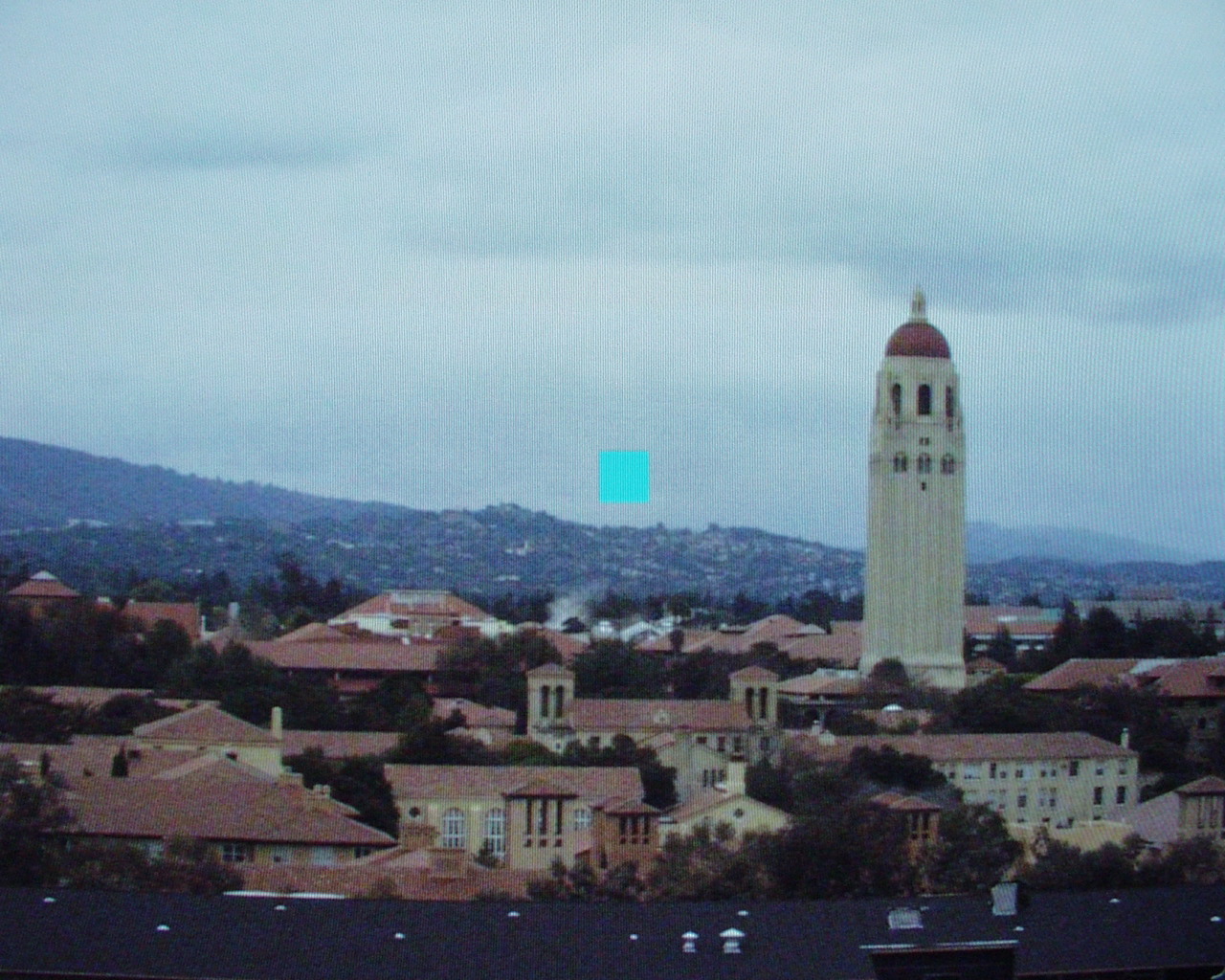
    To give an intuitive sense of the effects of color balancing algorithm to real images, we do the second experiment that tests the real image of Stanford Tower without and with a bright patch. In this experiment, the Stanford Tower image without the bright patch is the original image taken by the camera. We add a bright patch to the original image to generate the second image. Then inverse monitor gamma correction is done for both images. The process of preparing the test images is done by RealImage.m.

    As we know, Gray World algorithm do the color balancing based on the average R, G & B values relative to the overall gray level of the image, in the other hand, Perfect Reflector Algorithm takes the value of the brightest spot as the factor to do color balancing. Thus by adding a small bright patch to the original image, we can compare the effects of Gray World and Perfect Reflector color balancing algorithm. We expect that Gray World does not make a big difference for the output images without and with the bright patch because it takes the average as the adjusting factor. For Perfect Reflector algorithm, we expect there is the obvious difference for output images without and with the bright patch because it takes the brightest spot as the adjusting factor. That explains the reason that we choose this pair of images as the test images. As shown in the previous section: Gray World Algorithm, The actual output images have no big difference for images without and with the bright patch. This experiment is done by PerfectReflectorTest2.m

    We take the following steps for above two experiments to test Perfect Reflector algorithm:

    1. Read in the input images, and convert them to RGB if they are not.
    2. Take R, G, & B values of input images to run the function for Perfect Reflector algorithm and get the R, G & B results.
    3. Write the results to the output images.


    Output Images

  • Experiment 1

    Output Images of Perfect Reflector Color Balancing Algorithm:


  • Experiment 2

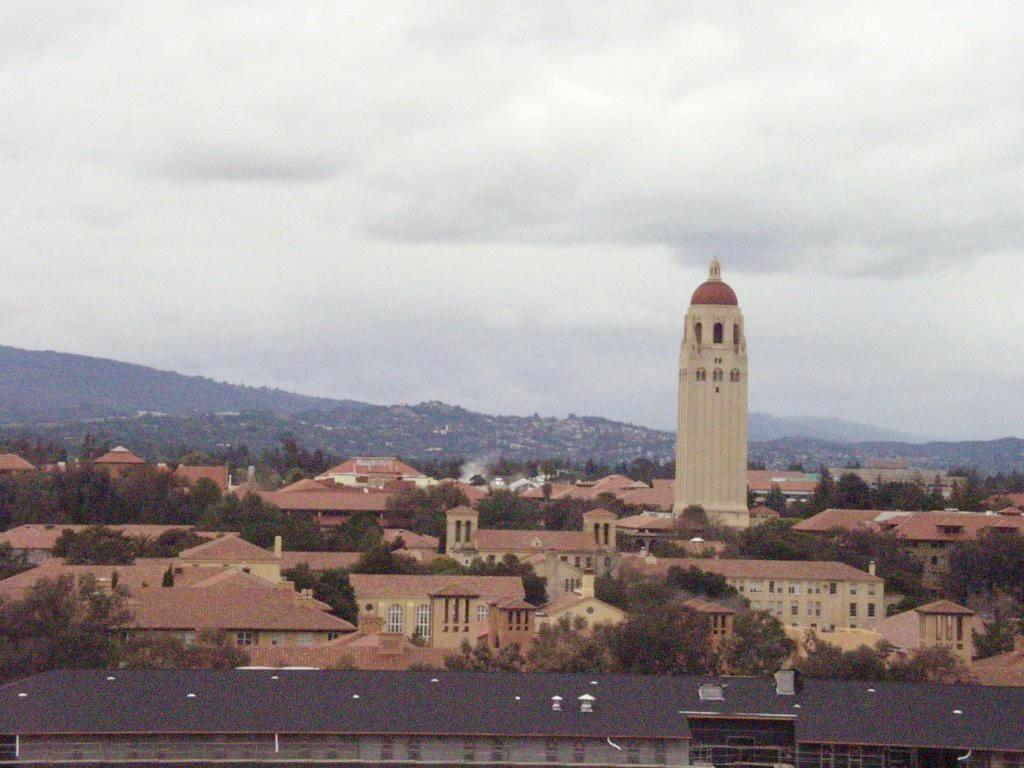
    Stanford Tower without bright patch

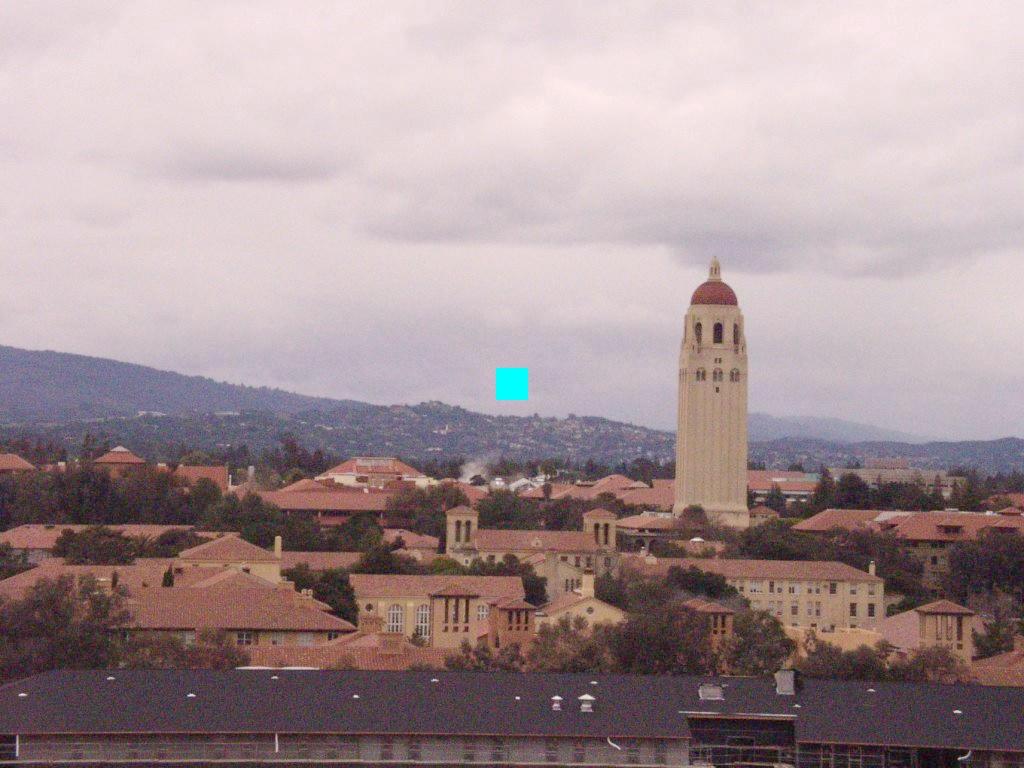
    Stanford Tower with bright patch

    Original image

    Original image

    Perfect Reflector output

    Perfect Reflector output

    Camera Output

    Camera Output


    As we can see, since Perfect Reflector algorithm scales the R, G & B values of the input images by the brightest spot, adding a bright patch does bring in the obvious difference comparing to the output image without the bright patch. The output image with bright patch is darker than the output image without bright patch because the one with bright patch scales down more than the one without bright patch.

    trek@alumni.stanford.edu
    lihui@leland.stanford.edu