We take the following steps to evaluate camera functions:
1. Generate a GrayPatch image with nine gray levels that evenly
distribute from 0 to 256.
2. Do inverse monitor gamma correction for GrayPatch image.
3. Take a picture of GrayPatch image shown on the monitor.
4. Approximate camera gamma functions for R, G & B.
We describe the results of the above steps in details:
1. Generate a GrayPatch image with nine gray levels that evenly distribute from 0 to 256 by GrayPatchFun.m.
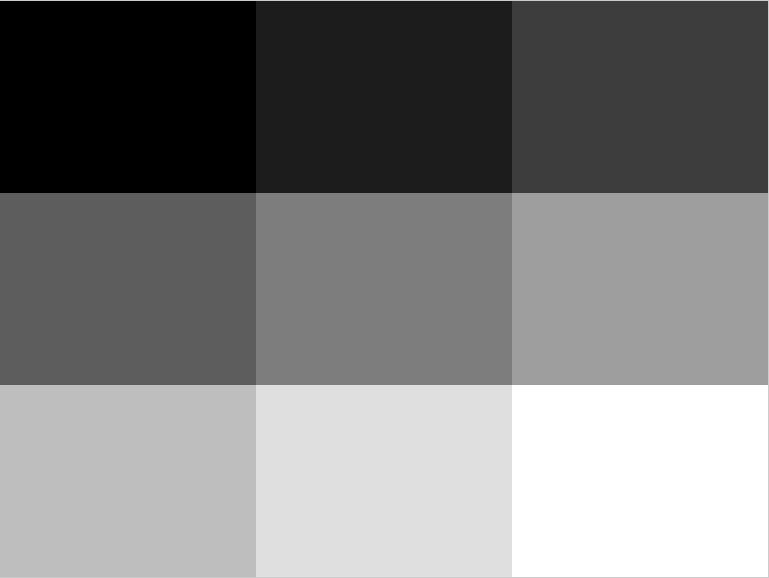
2. Do inverse monitor gamma correction for GrayPatch image by
GrayPatchFun.m.

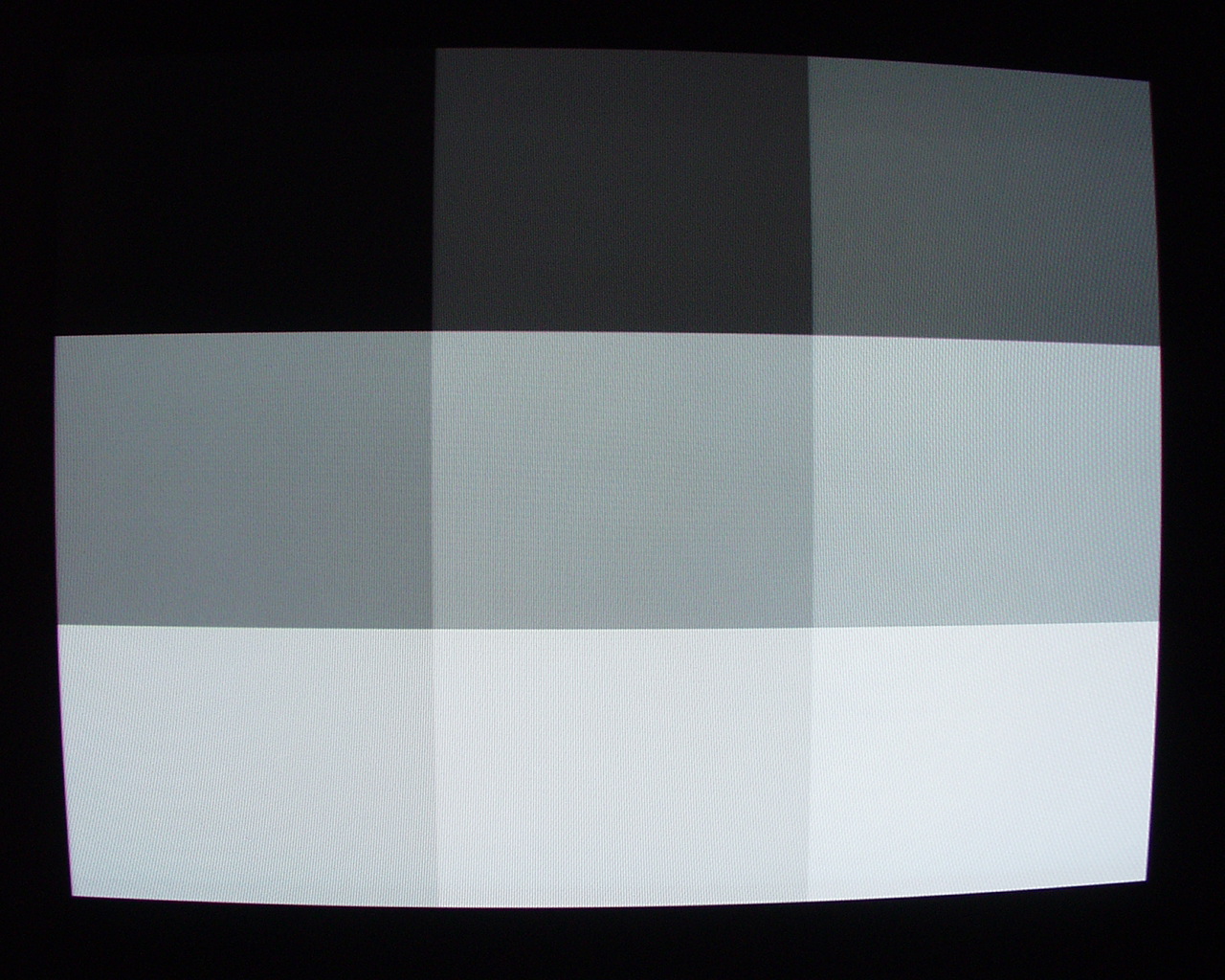
3. Take a picture of GrayPatch image shown on the monitor.
4. Approximate camera gamma functions for R, G & B by
CameraGamma.m.
Since the output image of the camera distorts in shape, so the target gray patch areas do not fill in the whole screen, we use nine test patches to locate the center of each gray patches and use the center area of them with size 210*300 as our test areas.
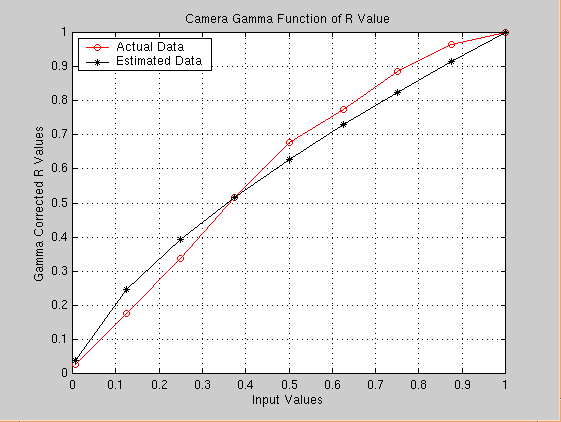
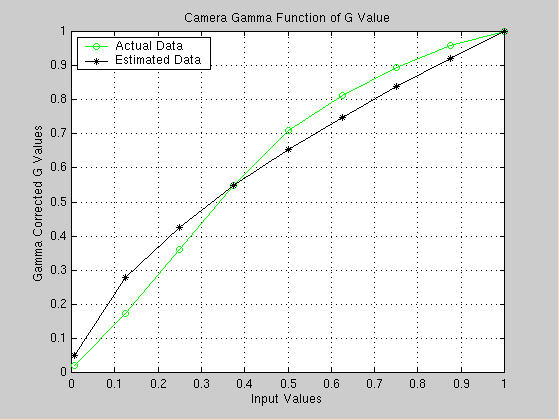
After getting the mean R, G & B values for each gray patch, we estimate camera gamma function by fmin function in Matlab. The equation of camera gamma we use is of the form:
Y = a * X ^ gamma;
We plot the actual camera output and the estimated gamma function for R, G & B values as following:
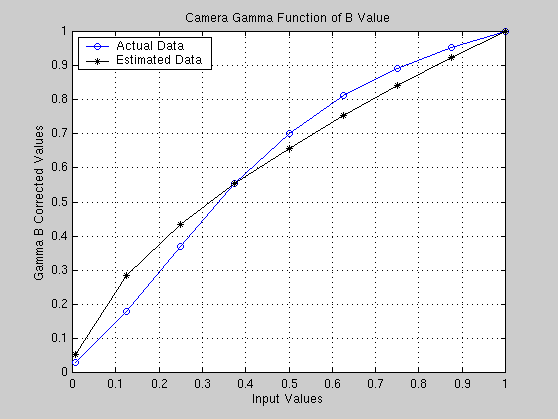
This is the result of the camera evaluation:
| R | G | B | |
|---|---|---|---|
trek@alumni.stanford.edu lihui@leland.stanford.edu