It is divided into :
a) (1
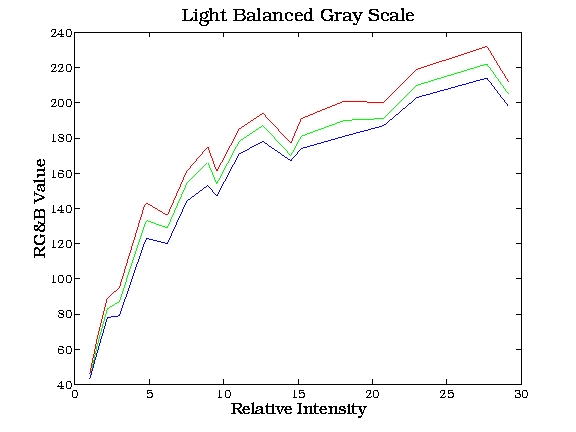
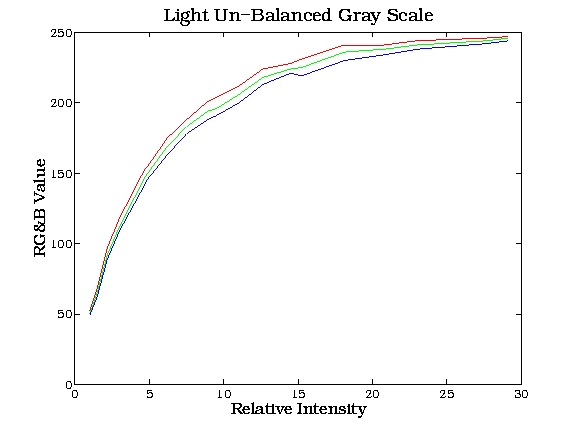
- 20) Gray Scale was used to determine the gamma function .
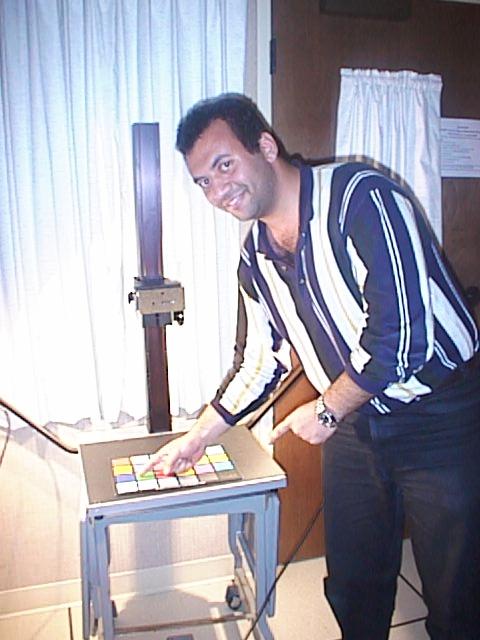
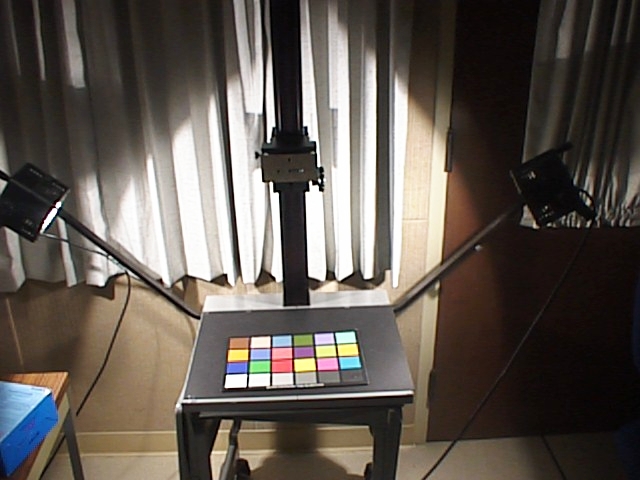
The setup for this experiment is
shown below:
As shown, it is an apparatus with
camera fixing capability to a predetermined distance from the target and
has the ability to supply two different light intensities.
The T
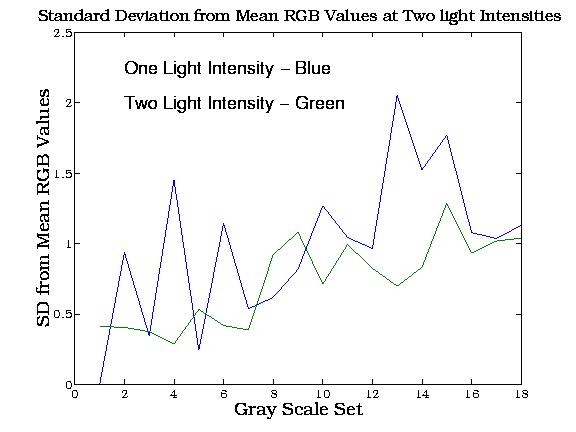
And so these values were used
for determining the Gamma Correction Factor.n
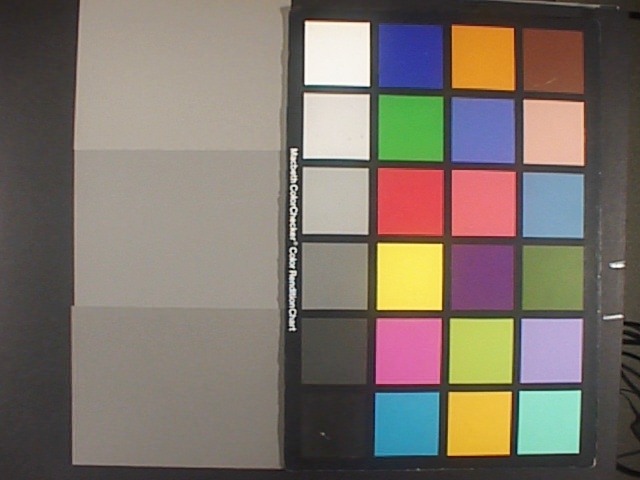
Examples of Gray scale images with
the higher light intensity are shown below:

b) The
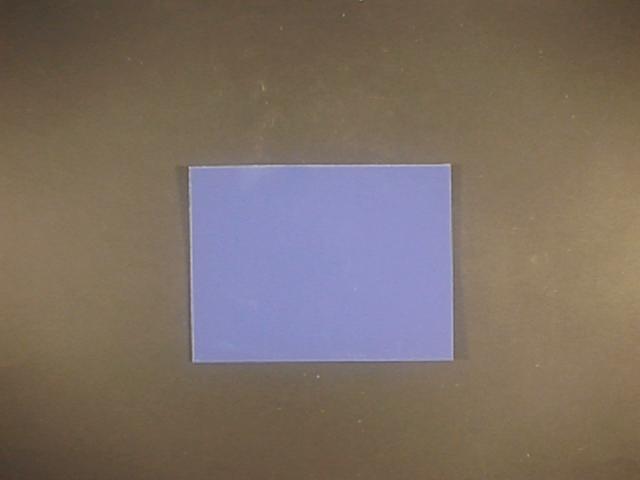
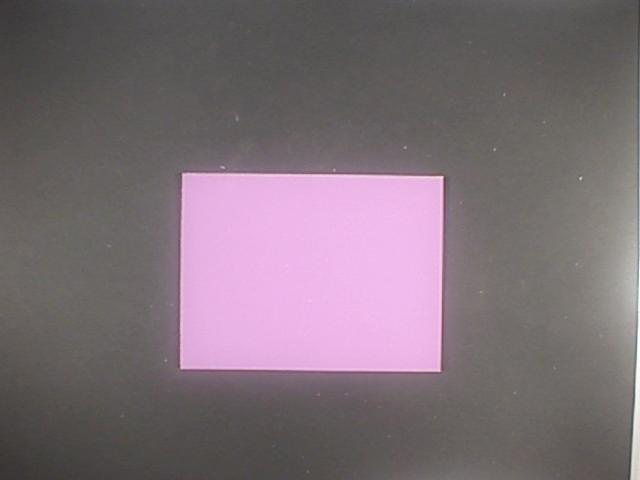
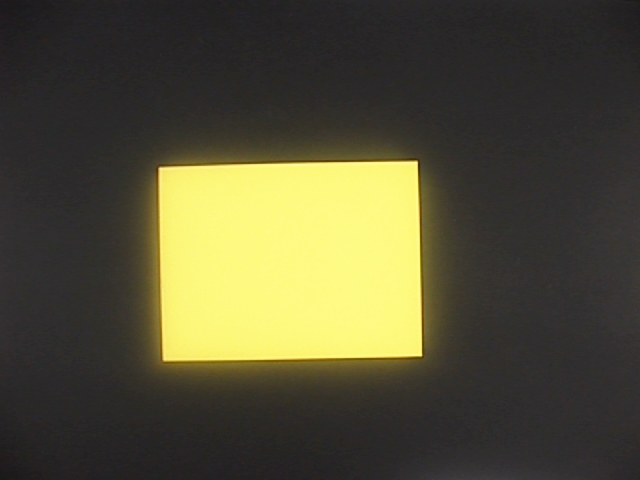
same type of measurements was made for 100 color images and each of these
was corrected for the gamma factor.
Samples of these colors are shown
below:
c)
The Power spectral density for each of these colors was also measures using
a Spectral radiometer giving power spectral density
up to 101 wavelengths. The Spectral
Radiometer measurement was made using the exact same set up for the DSC-F1
and with the same light intensity and background.
a) The Corrected ( Linearized) RGB values were then used in conjunction with the Spectral Density measurements to obtain a responsivity matrix as explained below:
[ Linear RGB ] = [ Responsivity ( wavelength) ] [ Spectral Power Density ]
This Responsivity matrix obtained
by solving the equation above is a 3*101 matrix that is plotted below:
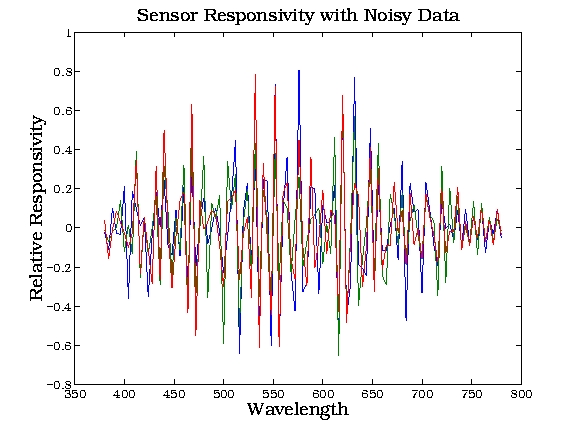
The matrix is very noisy as shown
above, but this can be explained due to the sensitivity of the measurements
and the actual data matrix can be reduced to lower order matrix through
processing of the resulted data.( Acknowledgment here given to Professor
Brian Wandell for suggesting this method to
us. )
b) Processing the data:
We will try to filter out the noisy
data using the following procedure:
1) Resolve the data matrix into
three components ( Two orthogonal matrices U,V and one diagonal matrix
S)
[ D ] = [ U ] [S] [V]
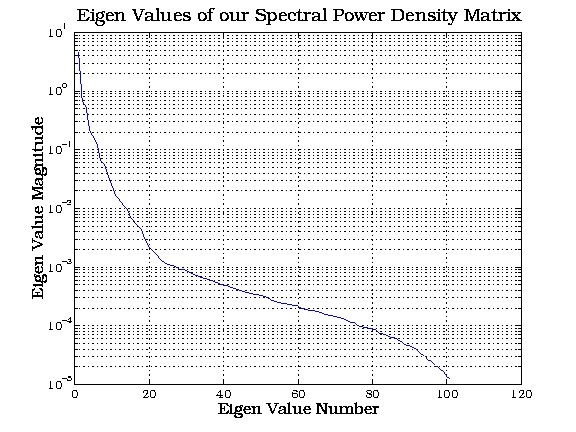
An interesting feature about the diagonal matrix [S] is that the larger numbers are in the top left ends of the diagonal and decrease towards the bottom right ends of the diagonal . This result is plotted below:
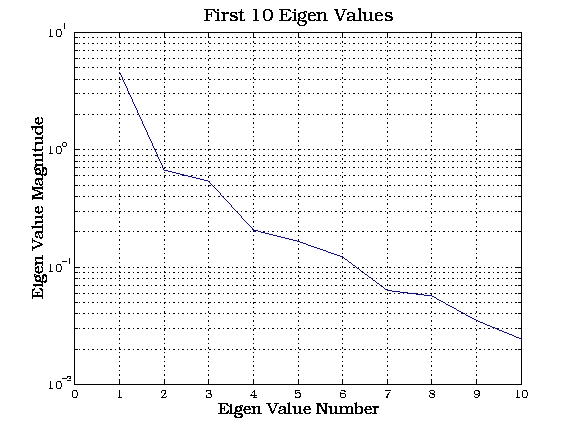
A cut-off value is chosen for the
first 5 elements in the diagonal matrix [S] and so the remaining values
will be assumed zero.
This effectively reduces the dimensions
of the orthogonal [U] matrix into 5 columns.
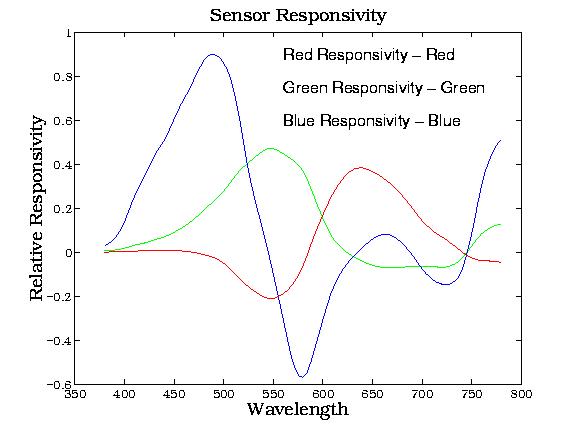
Solving the matrix equation with
the new value of the data matrix now results in a smoother response as
shown below
An initial attempt gave Problems
between predicted values and measured values as shown below:
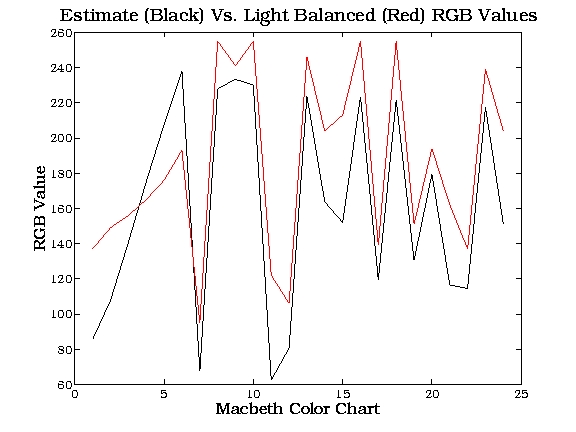
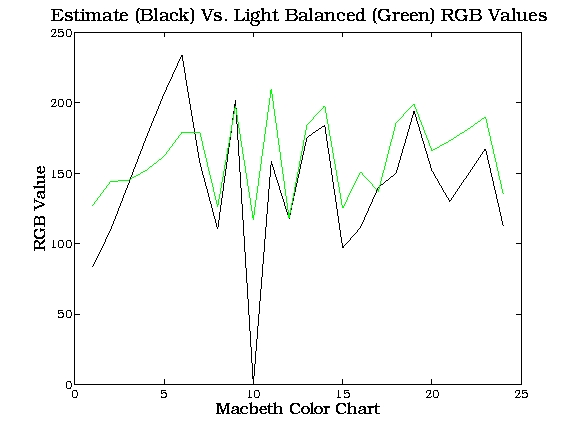
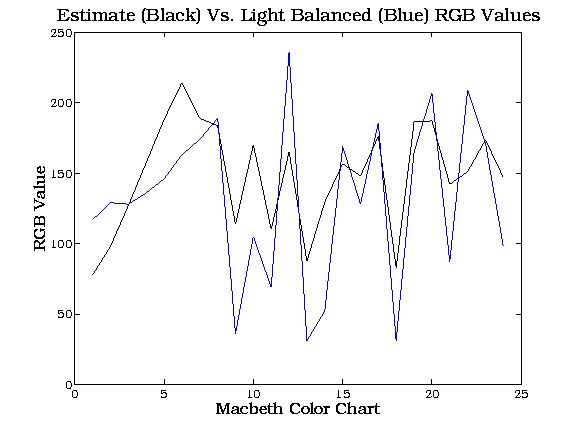
This was mainly due to light
balancing made by the camera as every
color was measured separately at a distance of 3 inches from the Macbeth
checker.
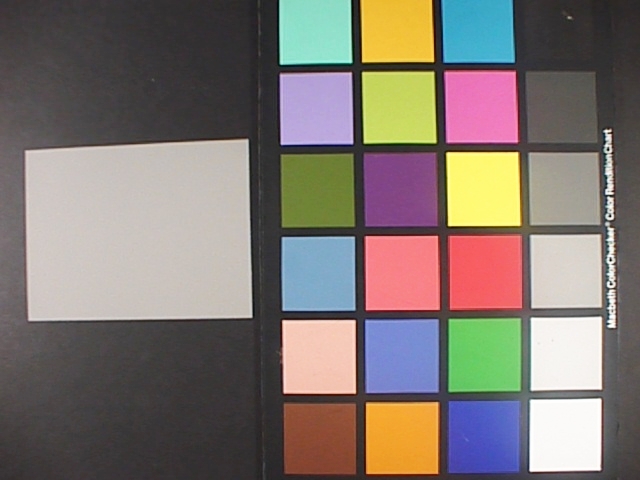
The full Macbeth checker was then pictured, to prevent color balancing effect, and the values of the colors were all obtained from this image. The match between measured and predicted was thus much closer as shown below:
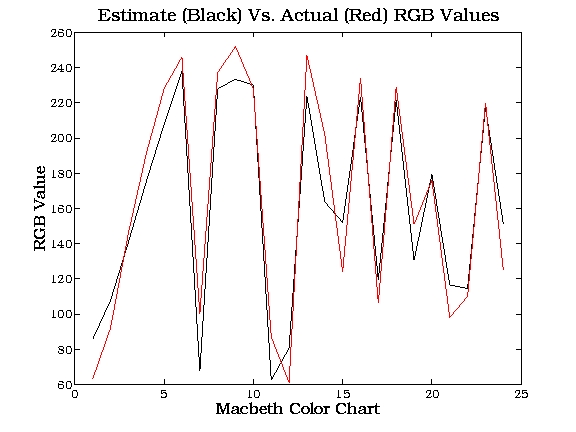
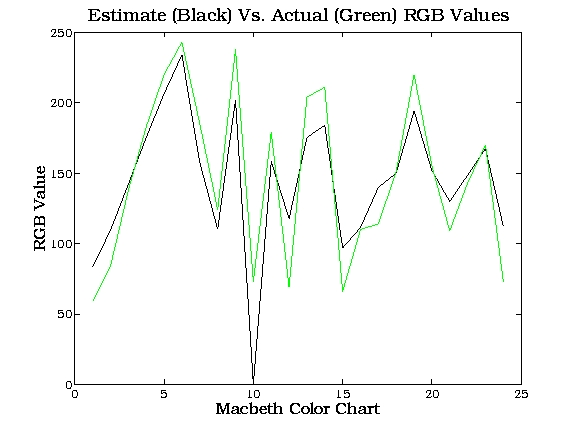
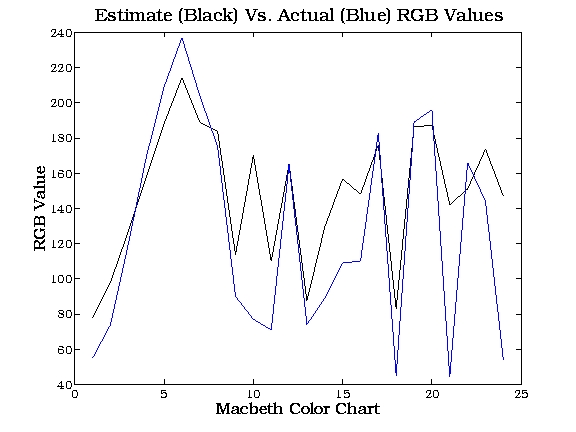
The average and standard
deviation of the error (
Measured - Estimated )
is plotted below for both actual and light-balanced measurements are tabulated
below:
| Average
Measured-Estim. (Actual) |
Average Measured-Estim.
(light Balanced) |
Standard Dev.
(Actual) |
Standard Dev.
(light Balanced) |
|
| Red | 3.45 | 24.12 | 19.34 | 35.44 |
| Green | 2.63 | 17.67 | 27.86 | 38.35 |
| Blue | 21.4 | -16.69 | 41.6 | 45.1 |
| (R+G+B)/3 | -5.1 | 8.37 | 30.554 | 39.27 |
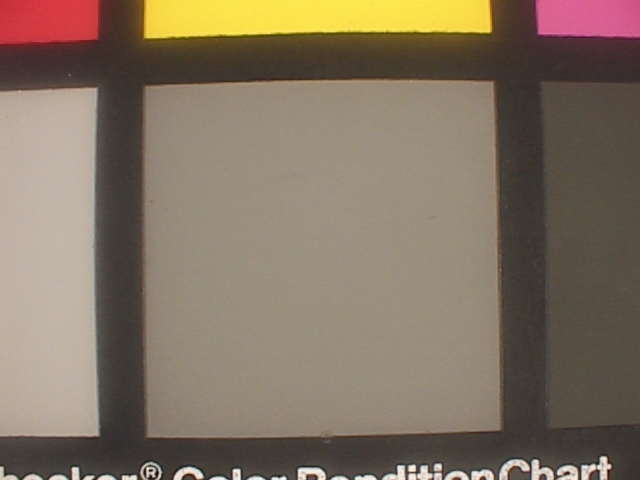
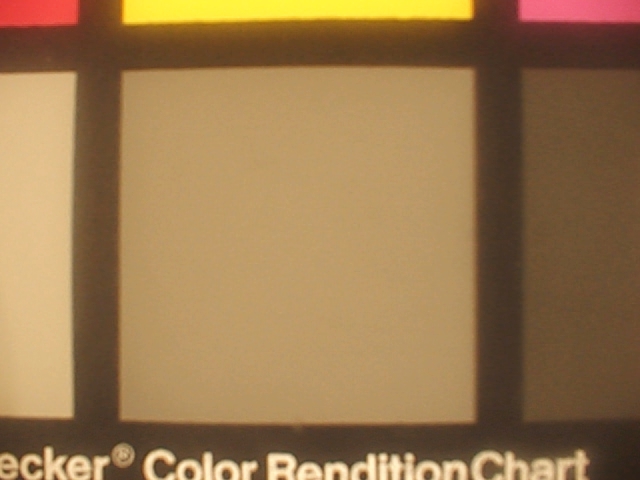
This was performed to prevent
color balancing of the camera due to a single Gray Scale.